
We chose Workiz because the UI is simple & easy to learn.
Kristen Zinzi
Administrator at County Comfort Home Solutions

Yelp + Workiz integration
Yelp leads land in your Workiz inbox the second they come in, so your team can reply first and book more of them. Nothing sits in a separate tab waiting to be checked.
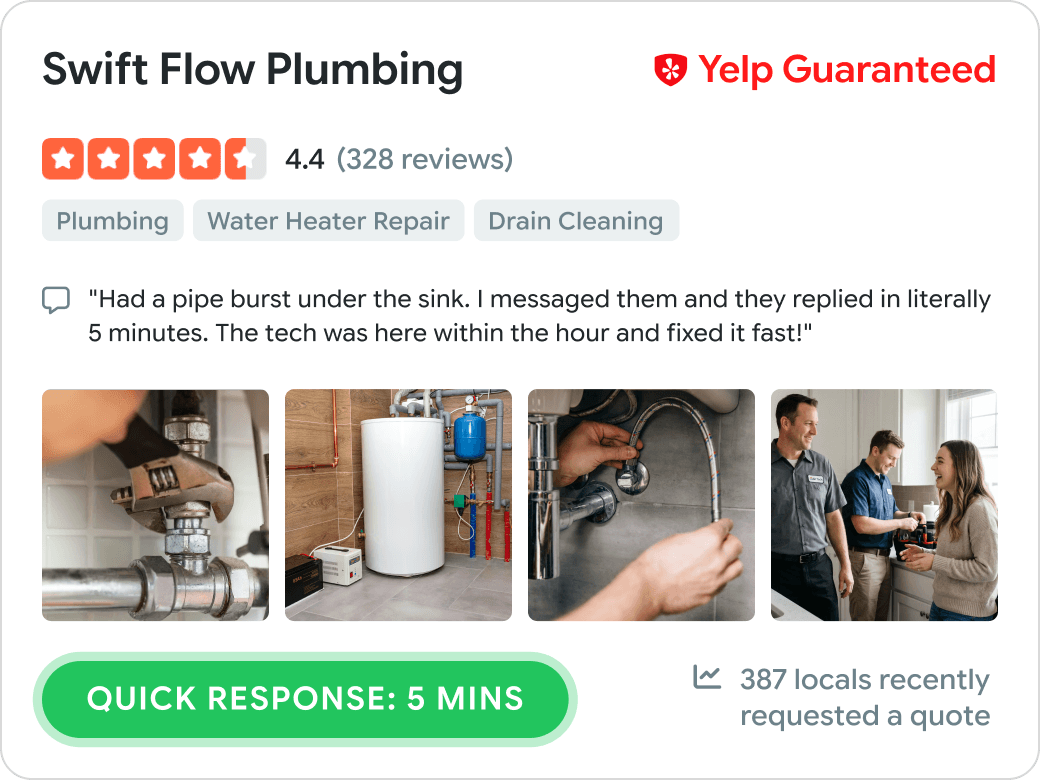
Yelp brags for you
Yelp shows customers how quickly you respond, right on your profile. Workiz puts every request in front of you the moment it lands, so that number stays low and helps you win the next lead.
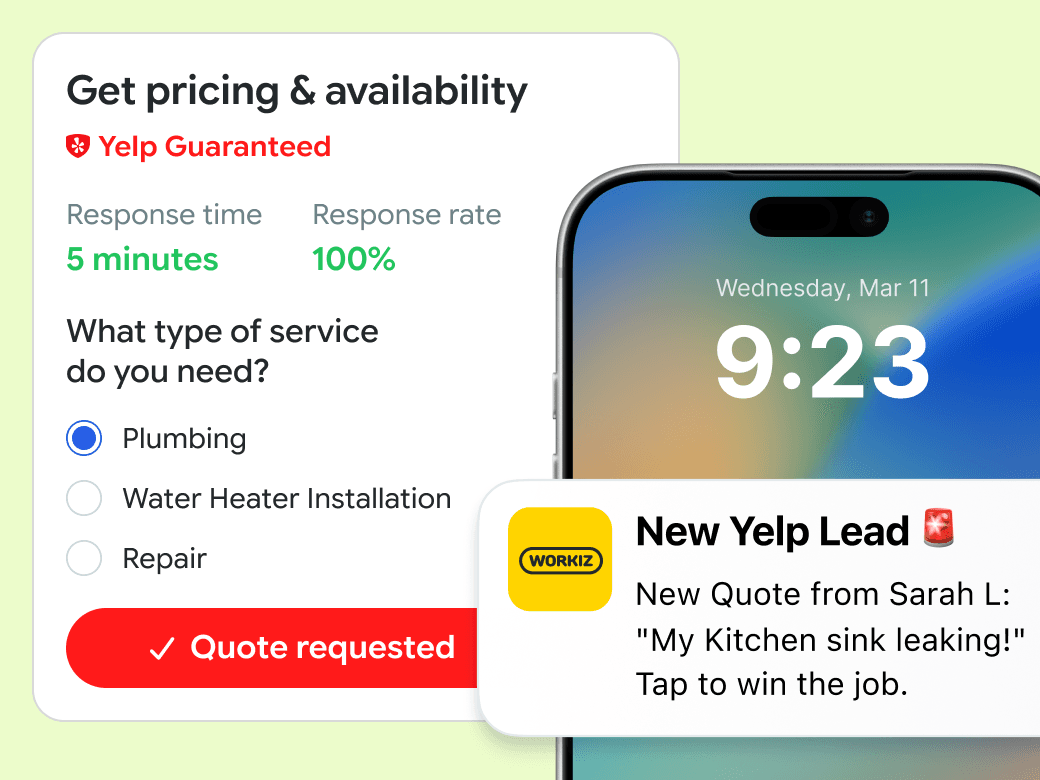
They came to you first
When someone requests a quote on Yelp, that same request goes out to your competitors too. Workiz puts it in your inbox the second it lands, so you can answer while the customer is still deciding.
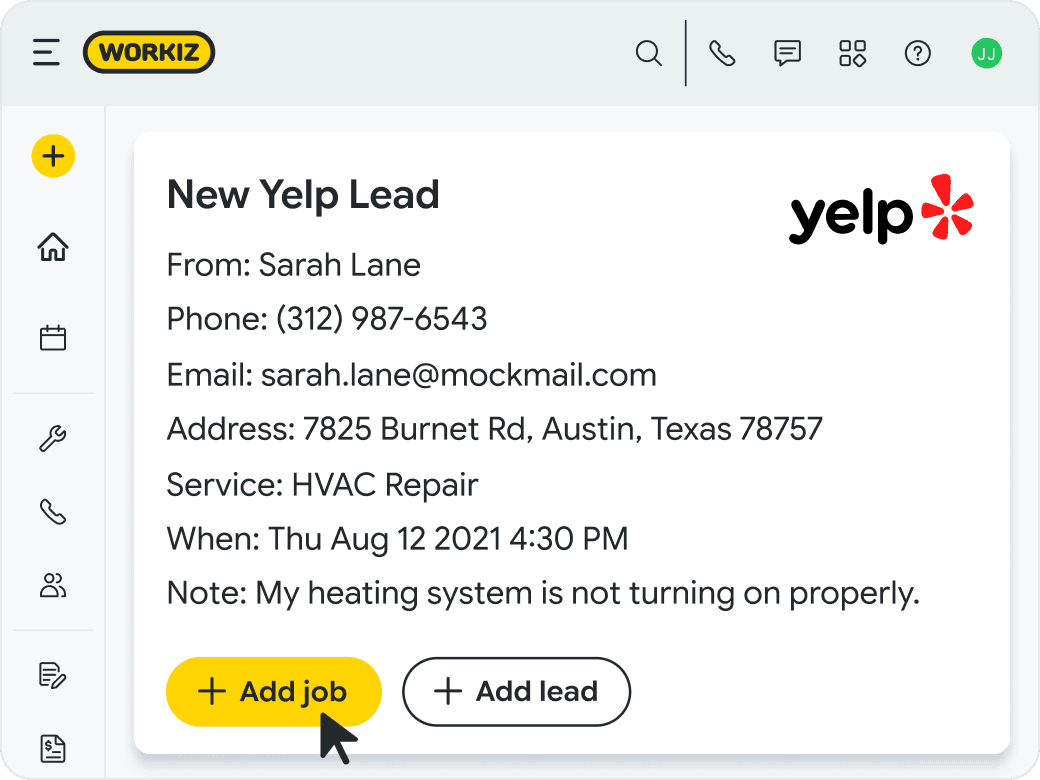
Yelp messages live in Workiz
Message your Yelp leads back and forth from the Workiz inbox, without copying details between tabs. Anyone on your team can pick up where the last reply left off, and the whole conversation stays attached to the lead’s record.
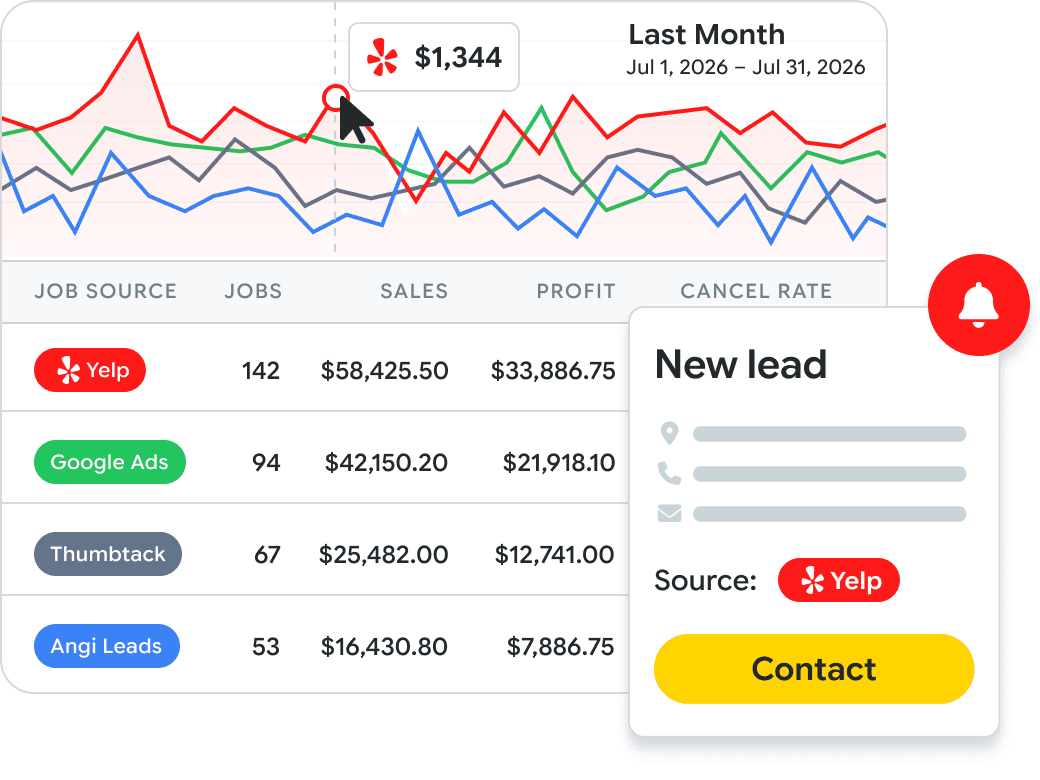
Know if Yelp pays off
Workiz tags every Yelp lead automatically, so you can see how many turned into booked jobs. You can also tell which ones came from your free listing and which came from Yelp Ads, so you know what that ad spend is getting you.
One portal. One login. Every tool to fill the calendar and keep the trucks moving.
AI answering instantly handles your calls, emails, and texts. It talks to clients, books jobs, and dispatches the right tech without any human intervention.
A built-in marketing suite that uses your live job data in marketing campaigns, and protects your online reputation by flagging bad reviews as soon as they hit.
An embedded phone system that gives you actionable insights from your calls — like your true job win rate, why leads say no, and how dispatchers can improve.
Smart scheduling and dispatching that keeps your team efficient, optimally routed and running on time.
Professional invoices that let clients pay by credit card, mobile wallet, ACH, cash, check, and consumer financing.
Automate tasks with ‘when this happens, do that’ rules. For example, ‘When an invoice is due, send client an SMS’.
We chose Workiz because the UI is simple & easy to learn.
Kristen Zinzi
Administrator at County Comfort Home Solutions
Workiz streamlined our business with digital estimates, invoices, and phone integration.
Olga White
Manager at Instafix Appliance Repair

I switched to Workiz from Service Titan in summer 2023 and have loved it ever since.
Jed Green
Co-owner of NexLvl Services
Workiz simplified scheduling and billing, boosting our efficiency.
Brian Harding
Élecproménager
We are getting so many 5-star reviews and more business!
Mike Bryant
CEO at Plumbing 365

Workiz gives us everything we need to run our business seamlessly.
Hector Perez
Fidelis Repairs
Workiz makes running a business seamless—no more paperwork, easy payments, and automated customer follow-ups!
Brian Orchard
Owner at Everett Air

Since using Workiz, we’ve been able to take on more jobs, stay organized, and keep our customers happier than ever.
Filipe Souza
Owner at SmarTech Solutions

With Workiz, our growth skyrocketed over 300% — everything’s faster and easier now.
Rafael Roa
Appliances USA Pro
Workiz keeps our business running smooth—faster estimates, happy customers, and techs who get more done.
Dan and Wyatt Johnson
Einstein Pros

Workiz keeps our team efficient, organized, and ready to grow without anything slipping through the cracks.
Mike Gidich
Owner at Honey Dudes Handyman

Workiz is powerful yet simple—helping us save time, win more jobs, and stand out from the competition.
Keating Kuhn
Gold Eagle Services

Workiz helps us ensure our customers get a great experience from the first call to the final invoice.
Lior Mizrahi
Same Day Garage Door Services & Repair

Workiz's Yelp integration sends your Yelp leads straight into Workiz. When a customer requests a quote from your business on Yelp, that request syncs into your Workiz inbox, where you read it and reply without opening the Yelp app. It lands in the same place you already handle scheduling, jobs, and invoicing, so you can answer a new lead and book the job without switching systems.
The Workiz Yelp integration connects your Yelp account from the Workiz Feature Center. After that, every new Request a Quote lead arrives in your Workiz inbox, and Workiz notifies you as soon as it lands. You reply through two-way messaging inside Workiz, and when the customer says yes, you schedule the job, dispatch a tech, and invoice it from the same place.
No. Yelp leads sync into Workiz automatically. Every Request a Quote message from your Yelp profile shows up in your Workiz inbox with the customer's details already filled in, so there's nothing to re-type or copy across.
Yelp leads appear in your Workiz inbox as they come in, and Workiz alerts you the moment one arrives. That speed matters on Yelp, where the customer often hires whoever replies first. Yelp also displays your response time on your profile, so replying quickly can bring in more organic Yelp leads over time.
Both. The integration syncs Request a Quote leads from your Yelp profile, whether they come from your free Yelp listing or from paid Yelp Ads. Workiz tags the source either way, so you can compare how free and paid Yelp leads perform before you decide what to spend on Yelp Ads.
Yes. Workiz tags every Yelp lead automatically, so you can see which booked jobs started as Yelp requests and whether they came from your free listing or from Yelp Ads. That gives you a straight answer on what your Yelp spend is returning.
Once a Yelp lead becomes a job, it moves through Workiz like any other one. You schedule it, dispatch a tech, send the invoice, and collect payment in the same system. The full history, including the original Yelp conversation, stays on the client's record, so when you follow up later or offer a service plan you already know where the job came from.