

The biggest value is really being able to pinpoint the revenue generated from a campaign. I didn’t get that with Mailchimp.
Liz Ramirez
Marketing Manager, Gold Eagle Services

Angi is all about speed. The first caller usually wins. Workiz helps you respond instantly so that caller is you.
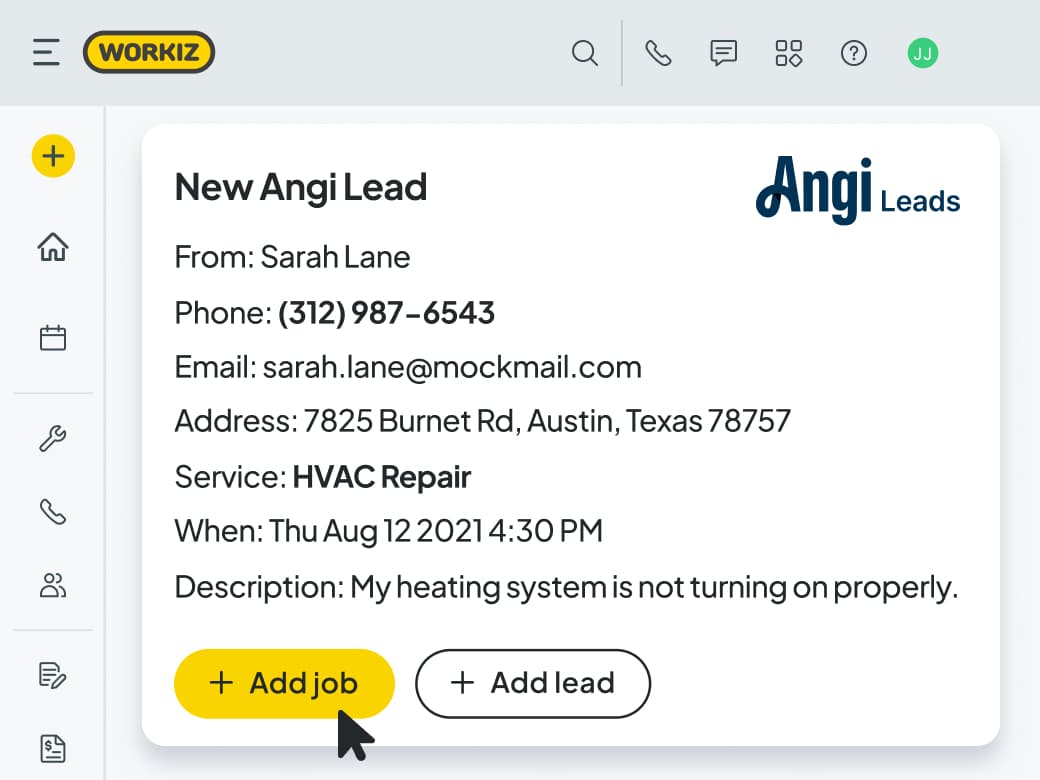
Speed gets the win
You can’t afford to be the 4th caller when leads cost $50-$100. You need to be first. Workiz gives you the alerts and automations to respond in seconds—so you look sharp, professional, and ready to do a great job.
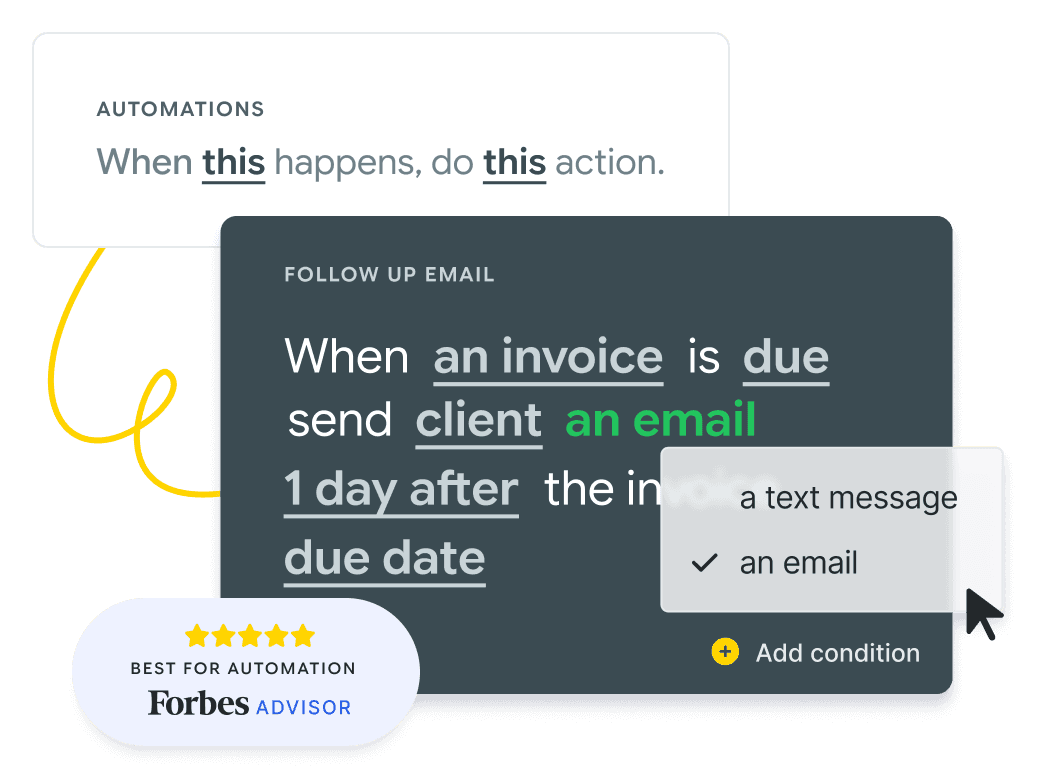
Keep on leads that don’t answer
Most Angi leads don’t answer the first call. Workiz automates the followups for you. So on the second or third touch point, when they’re ready to talk, you’re there and ready to serve.
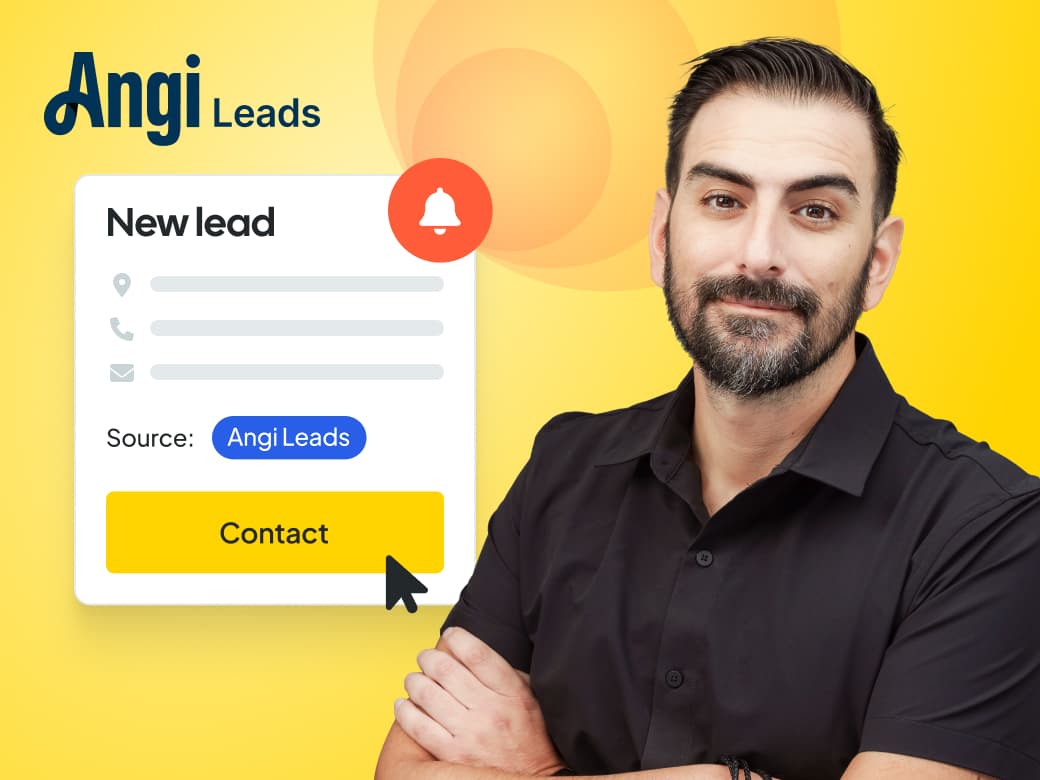
All leads, in one place
Angi is fully integrated with Workiz, so leads flow straight into your system. No need to hop between platforms, everything runs within your existing workflows.
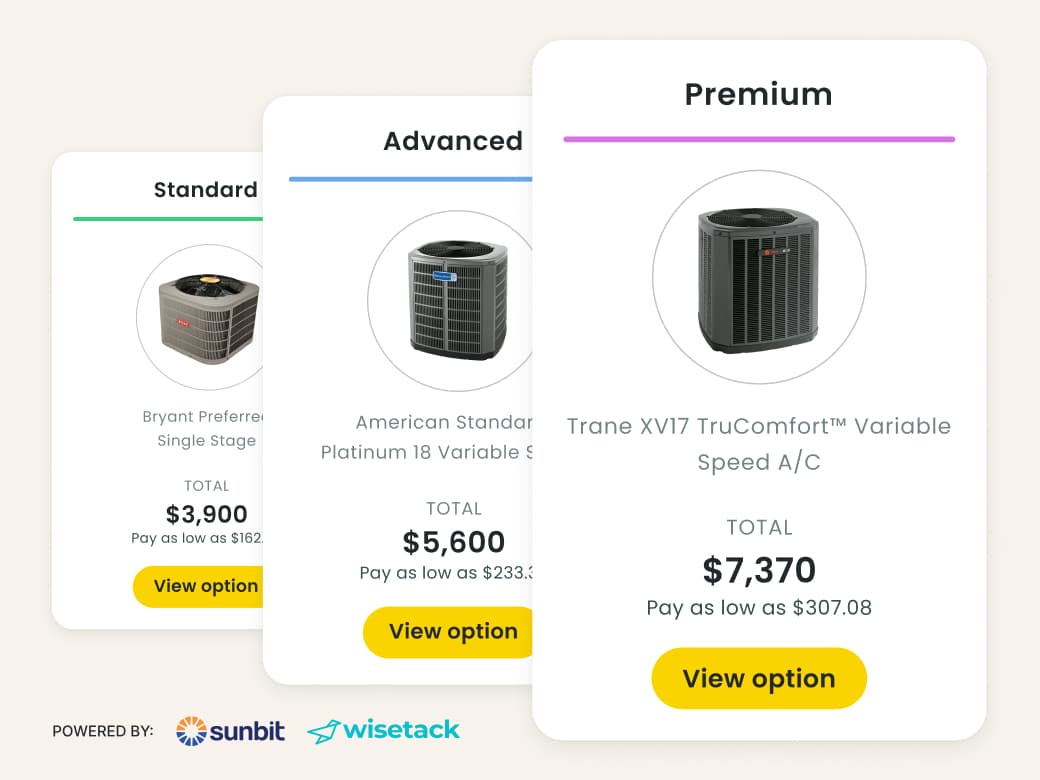
Win on value, not price
You can’t always be the cheapest—but you can compete on more than price alone. Bundle service plans into your Good – Better – Best proposals, offer pay-over-time options, and let clients convert from their portal when they’re ready.

The profitable way to use Angi
Workiz gives you all the tools you need to turn Angi leads into long-term value. Build lasting relationships by keeping clients on service plans, offering extended warranties, and unlocking more revenue beyond the first visit.
One portal. One login. Every tool to fill the calendar and keep the trucks moving.
AI answering instantly handles your calls, emails, and texts. It talks to clients, books jobs, and dispatches the right tech without any human intervention.
A built-in marketing suite that uses your live job data in marketing campaigns, and protects your online reputation by flagging bad reviews as soon as they hit.
An embedded phone system that gives you actionable insights from your calls — like your true job win rate, why leads say no, and how dispatchers can improve.
Smart scheduling and dispatching that keeps your team efficient, optimally routed and running on time.
Professional invoices that let clients pay by credit card, mobile wallet, ACH, cash, check, and consumer financing.
Automate tasks with ‘when this happens, do that’ rules. For example, ‘When an invoice is due, send client an SMS’.
The biggest value is really being able to pinpoint the revenue generated from a campaign. I didn’t get that with Mailchimp.
Liz Ramirez
Marketing Manager, Gold Eagle Services
We chose Workiz because the UI is simple & easy to learn.
Kristen Zinzi
Administrator at County Comfort Home Solutions

Workiz streamlined our business with digital estimates, invoices, and phone integration.
Olga White
Manager at Instafix Appliance Repair

I switched to Workiz from Service Titan in summer 2023 and have loved it ever since.
Jed Green
Co-owner of NexLvl Services
Workiz simplified scheduling and billing, boosting our efficiency.
Brian Harding
Élecproménager
We are getting so many 5-star reviews and more business!
Mike Bryant
CEO at Plumbing 365

Workiz gives us everything we need to run our business seamlessly.
Hector Perez
Fidelis Repairs
Workiz makes running a business seamless—no more paperwork, easy payments, and automated customer follow-ups!
Brian Orchard
Owner at Everett Air

Since using Workiz, we’ve been able to take on more jobs, stay organized, and keep our customers happier than ever.
Filipe Souza
Owner at SmarTech Solutions

With Workiz, our growth skyrocketed over 300% — everything’s faster and easier now.
Rafael Roa
Appliances USA Pro
Workiz keeps our business running smooth—faster estimates, happy customers, and techs who get more done.
Dan and Wyatt Johnson
Einstein Pros

Workiz keeps our team efficient, organized, and ready to grow without anything slipping through the cracks.
Mike Gidich
Owner at Honey Dudes Handyman

Workiz is powerful yet simple—helping us save time, win more jobs, and stand out from the competition.
Keating Kuhn
Gold Eagle Services

Workiz helps us ensure our customers get a great experience from the first call to the final invoice.
Lior Mizrahi
Same Day Garage Door Services & Repair

The Angi Leads integration automatically captures new leads from your Angi account and sends them straight into Workiz as structured leads. You don’t need to copy paste anything or do manual data entry.
This gives you a faster, reliable, and automated way to follow up with high-intent Angi leads and have the best chance of turning those leads into booked jobs.
Once connected, Workiz pulls in all your Angi leads automatically, including contact info, job details, and request type. This info flows right into your Workiz leads manager. From there, you can assign leads to your team, track them by status, and follow up with a call, text, or email directly from inside Workiz. You can also set up automations to respond instantly and increase your chances of winning the job.
No. The integration eliminates all manual entry.
The moment a lead comes in through Angi, it appears in your Workiz Leads pipeline, ready to be followed up on, assigned, and converted into a job.
Yes. You can set up Workiz automations and Genius Leads to respond to new Angi leads by text or email the second they arrive. Fast response time is critical to winning Angi leads; Workiz helps you be first in line, every time.
Once you convert a lead to a job in Workiz, all of the original lead information carries over. You can dispatch your techs, invoice the client, and track the full job lifecycle, all in one system.
It’s like any other job, except that your Workiz reports will also show Angi as the lead source, helping you understand where to allocate your marketing budgets in the future.
Winning the lead and booking the job is just the first step. Workiz helps you make the most ROI from every opportunity by:
Automating appointment reminders to reduce no-shows.
Upselling Service Plans while on the job.
Setting reminders to follow up with the client in the future, increasing lifetime value.
Increasing your average ticket size with Price Books and Flat Rate Pricing.
Enabling you to sell JB Warranties.
Retaining clients with automated follow-ups and reminders.
All the info is tracked in one place — so you can easily see how much revenue you’ve generated from Angi.
Workiz helps you respond faster than the competition. With Genius Leads, your Angi lead emails are instantly turned into structured leads inside Workiz without manual entry or delays. That means you’re the first to respond, which massively increases your chances of booking the job.
Workiz keeps them warm. You can set automations to follow up days or weeks later, assign status tags like “didn’t answer” or “quote sent,” and re-engage those leads until they book. You paid for the lead… Workiz helps you get your money’s worth.
Yes. With Workiz Reporting, you can track the total revenue generated from Angi leads, your conversion rate, average job value, and more.
Workiz reports on your marketing spend and the lead source of your booked jobs, so you know exactly which leads sources are paying off and deserve more of your budget.
Yes. Workiz centralizes all your leads — from Angi, Google, Thumbtack, your website, and more — into one unified Lead Manager. You can track them all in one place, apply automations, and measure which sources are actually bringing in revenue.