An HVAC owner running eight technicians across two vans tried Housecall Pro for a year. The mobile app was clean, techs picked it up fast, but by month nine, the per-seat fees had climbed to over $350 a month, and flat-rate pricing still required a third-party add-on. She switched to Service Fusion for the flat monthly rate, then spent three weeks configuring the dispatch board before her team could use it in the field. What she needed was a platform that did not make her choose between a clean mobile experience and a manageable cost structure. That is the trade-off this comparison is built to help you navigate.
Trade pros evaluating field service management (FSM) software need a clear look at how different platforms fit their daily operations. Selecting the right system gives your dispatchers and field techs the exact tools required to streamline scheduling, eliminate billing delays, and deliver better service on every call.
In this guide, we evaluate the core features, pricing structures, pros, and cons of Housecall Pro and Service Fusion side by side.
Housecall Pro Overview
Housecall Pro centers heavily around mobile tools for field techs. Dispatchers use it for drag-and-drop scheduling, vehicle map tracking, and automated text updates. Out in customer driveways, technicians can present multi-option proposals, pull up flat-rate price books, and process card payments directly from their phones.
The platform also includes recurring maintenance plan tracking, automated billing workflows, and a 24/7 AI answering feature that books incoming leads automatically.
Service Fusion Overview
Service Fusion provides back-office field service software designed for established trade businesses. The system equips dispatchers with centralized scheduling boards, multi-warehouse inventory management, and native flat-rate job costing tools.
Field techs use the mobile app to check assigned jobs, track their time, and build invoices right in the driveway. The app keeps teams on track with real-time job updates and automated customer alerts. At the office, AI-powered phone answering handles incoming calls 24/7.
Housecall Pro vs Service Fusion: Side-by-Side Breakdown
Understanding how Housecall Pro and Service Fusion compare requires evaluating their core operational features side by side. The table below breaks down how both platforms handle dispatching, inventory control, pricing models, and mobile usability for growing trade businesses:
Operational Criteria | Housecall Pro | Service Fusion |
Target Business Size | Solo pros and small service teams running 1 to 10 technicians | Mid-sized to expanding service businesses running 10 to 50+ technicians |
Pricing Model | Starts at $79 per month, with additional discounts for annual payments | Flat-rate tier pricing for unlimited users, starting at $208 per month, billed annually |
Mobile App Experience | Highly intuitive, tech-friendly mobile app for iOS and Android | Desktop-first interface; mobile app lacks full offline mode and feels clunkier |
Scheduling and Dispatch | Visual drag-and-drop job calendar with technician status alerts | Centralized dispatch board managing complex technician shifts |
Inventory Management | Basic inventory tracking; lacks multi-warehouse and van stock management | Multi-location inventory, purchase order tracking, and job costing in Plus/Pro |
AI and Automation Features | AI Team suite (CSR AI for call booking, Help AI, Analyst AI) | ServiceCall.ai for call queues, transcription, and automated alerts |
Customer Financing Options | Embedded point-of-sale consumer financing (via Wisetack) on mobile estimates | External financing links; lacks embedded mobile driveway financing |
Support Model | 14-day free trial, live chat/phone support, and HCP Pro community | No free trial; guided onboarding with phone, email, and live chat support |
How We Evaluated Both Platforms
Comparing field service software fairly means looking past the sales pages to how each platform holds up day to day.
We built this comparison from vendor documentation, published pricing pages, and patterns that showed up again and again across independently published user reviews, weighing repeated feedback more heavily than any single complaint.
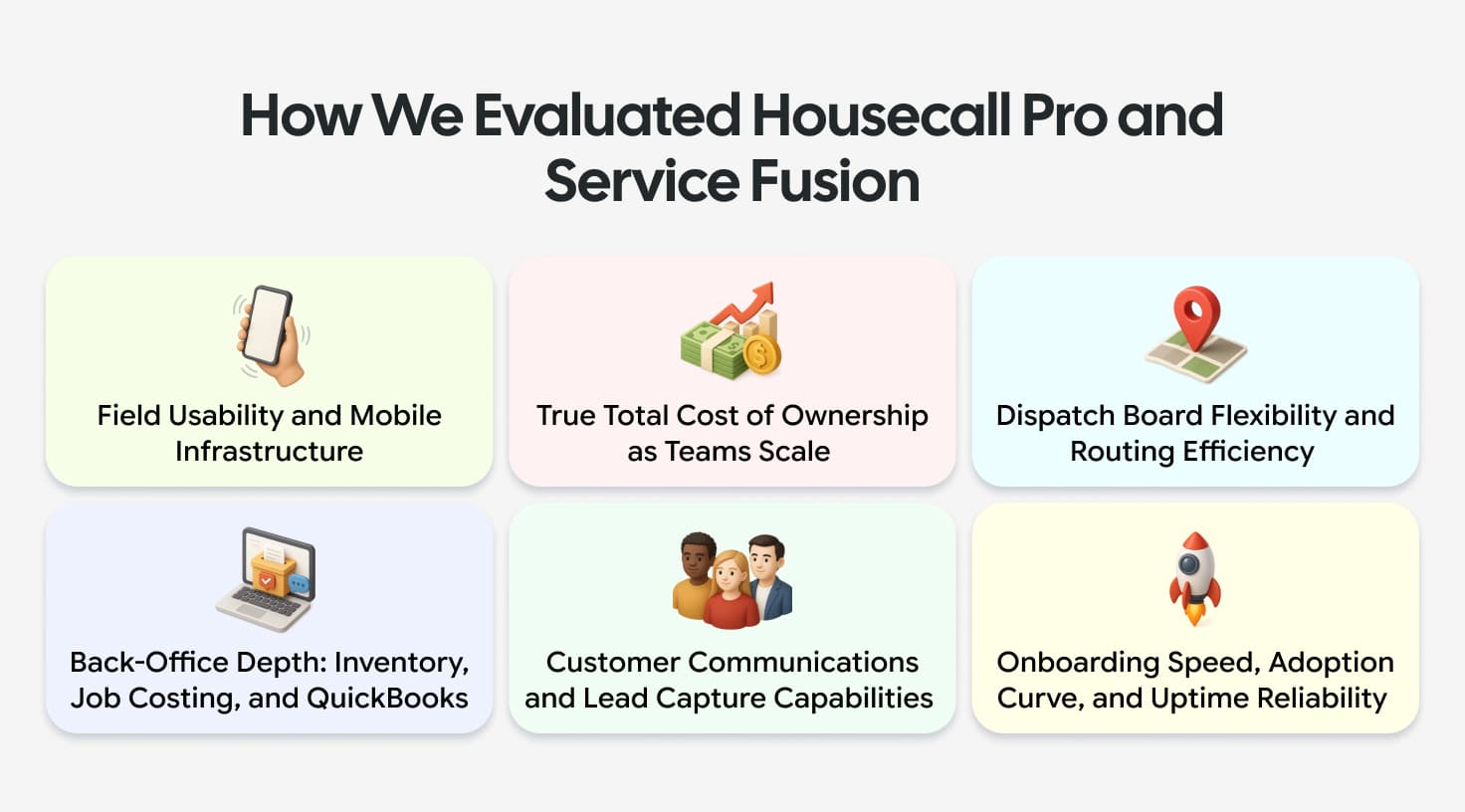
We looked at both platforms across six pillars:
Field Usability & Mobile Infrastructure: Technician app responsiveness, offline reliability, and driveway estimate execution.
Total Cost of Ownership: True monthly costs as teams grow from 5 to 20+ techs, factoring base rates and mandatory add-ons.
Dispatch & Routing Efficiency: Board flexibility, real-time vehicle telematics, and route optimization.
Back-Office Depth: Multi-location inventory, job costing, purchase orders, and QuickBooks synchronization.
Customer Communications & Lead Capture: Integrated phone tools, call recording, AI receptionists, and online booking.
Onboarding Velocity & Reliability: Setup speed, technician adoption curve, and software uptime.
Housecall Pro vs. Service Fusion: Strengths and Weaknesses
No FSM platform does everything perfectly. Selecting software usually means trading back-office management depth for quick field adoption, or vice versa. Here is where each option shines and where it creates daily operational friction.
Where Housecall Pro Stands Out
Housecall Pro focuses heavily on keeping daily app usage simple for technicians working in the field.
Mobile-First Design Built Around the Technician in the Field: The mobile app is built so a tech can run most of the job, notes, photos, invoice, and payment without going back to a desk.
AI Team - CSR AI That Answers Calls and Books Jobs Around the Clock: Housecall Pro's AI receptionist tools are designed to pick up calls and book jobs automatically, aiming to catch leads that would otherwise go to voicemail.
Consumer Financing That Helps Close Bigger-Ticket Jobs on the Spot: Wisetack integration lets techs offer customer financing on the spot, which can help turn a bigger estimate into a booked job.
Strong Community and Coaching Resources for Growing Businesses: Beyond the software, Housecall Pro runs webinars, a pro community, and business coaching aimed at growth, not just day-to-day operations.
Free Trial With No Credit Card Required: A 14-day trial with no credit card required makes it easy to test drive before paying.
Where Housecall Pro Falls Short
While the mobile experience is smooth, growing trade fleets hit hard limits as daily operations scale.
Per-User Pricing Adds Up Quickly as the Team Grows: Paying $35/month per extra technician alongside mandatory feature add-ons inflates monthly overhead fast.
Back-Office and Inventory Tools Less Robust Than Larger Competitors: Lacks real multi-van stock tracking, serial number tracking, and deep job costing tools.
Flat-Rate Pricing Requires Third-Party Integration: Standard flat-rate pricing isn't built into core plans, forcing a $149/month extra fee or third-party add-ons.
Less Suited for Multi-Location or High-Volume Enterprise Operations: Struggles with complex multi-location routing, department permissions, and territorial balancing.
Where Service Fusion Stands Out
Service Fusion delivers stronger administrative depth for office dispatchers and mid-sized fleet managers.
Flat-Rate Unlimited-User Pricing Scales Without Penalizing Growth: Flat monthly fees let operations add technicians without taking on extra per-seat licensing costs.
Native Flat-Rate Pricing Integration for Standardized Job Costing: Integrated price books and job costing tools on Plus and Pro tiers protect job margins without hidden add-on costs.
Stronger Inventory and Back-Office Operations for Larger Teams: Tracks inventory across multi-location warehouses, generates purchase orders, and handles progress billing cleanly.
ServiceCall.ai for AI-Powered Phone Answering and Call Tracking: Integrated VoIP handles call queues, recording, call transcriptions, and marketing attribution.
GPS Fleet Tracking Built Into the Platform: Built-in telematics on higher tiers give office teams real-time truck tracking and driver idle alerts.
Where Service Fusion Falls Short
Service Fusion's heavy administrative footprint often creates friction for fast-moving field teams.
Heavier Desktop Setup Required Before Getting Value in the Field: Setting up custom mapping, workflows, and admin controls takes significant office effort before field techs get real value.
Mobile App Experience Trails Behind More Mobile-First Competitors: Technicians operating in basements or low-signal zones experience slow data syncs, interface freezes, and extra taps to complete billing.
Steeper Learning Curve for New or Smaller Operations: Busy dispatch screens and drop-down menus trigger frequent user errors for crews switching from simple calendars.
Less Consumer-Facing Financing Depth Than Some Competitors: Without instant point-of-sale financing built directly into mobile estimates, closing big jobs in the driveway takes longer.
Housecall Pro vs. Service Fusion: Which Is Right for You?
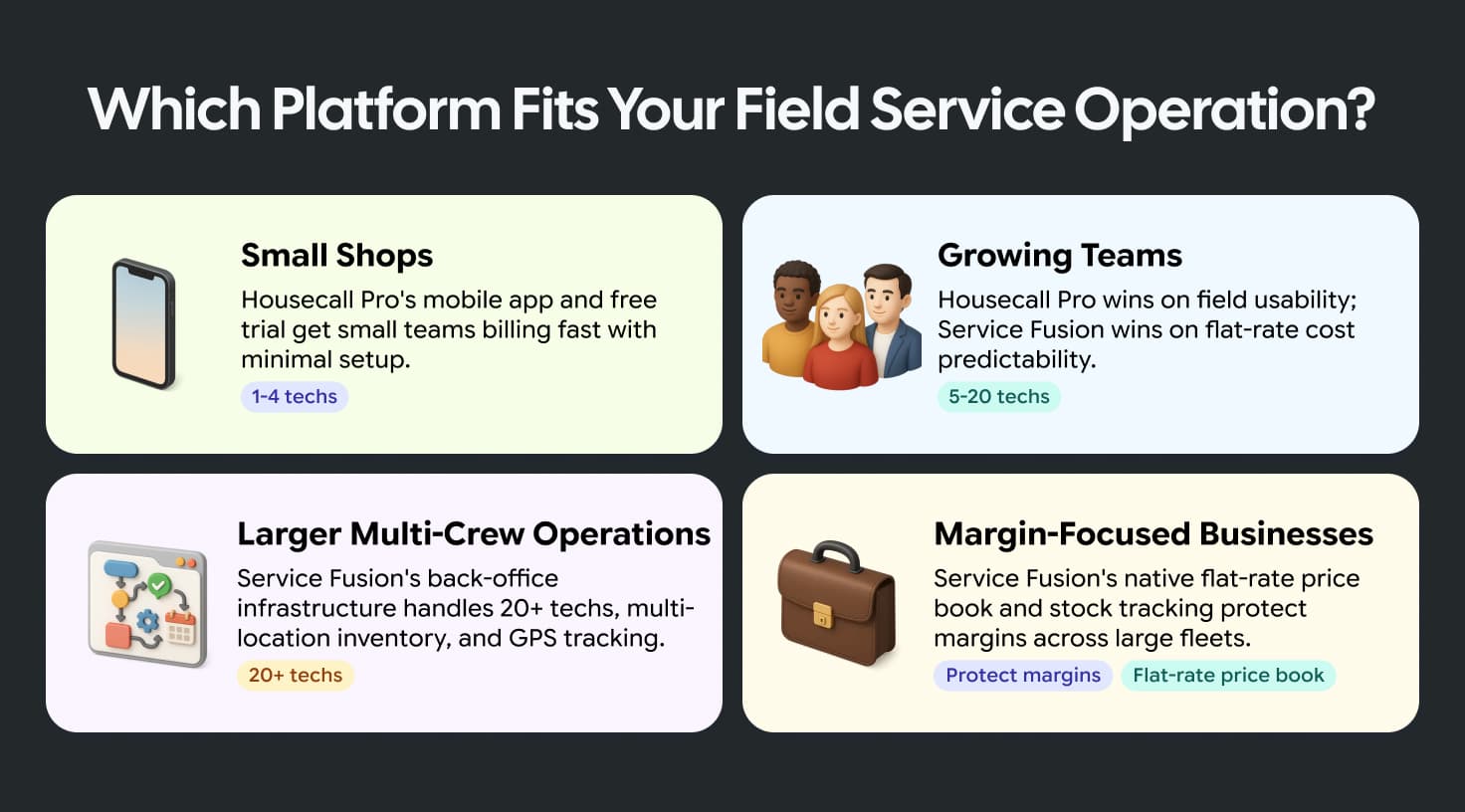
Selecting between Housecall Pro and Service Fusion depends on your operational footprint, team size, and primary workflow bottlenecks.
Small Shops and Solo Operators Getting Started
Housecall Pro is the ideal entry point. Its intuitive mobile app, 14-day free trial, and quick setup allow 1- to 4-tech shops to start invoicing immediately without heavy administrative setup.
Growing Teams Between 5 and 20 Technicians
Choosing between the two comes down to software costs versus field usability. Housecall Pro offers superior technician app performance, but seat fees ($35/user) and add-ons increase monthly spend. Service Fusion provides predictable flat-rate pricing, but requires accepting a clunkier mobile experience.
Larger Operations Managing Multi-Crew or Multi-Location Work
Service Fusion provides a better back-office infrastructure for fleets running 20+ technicians. Its flat-rate pricing saves thousands annually, while native multi-location inventory, purchase orders, and GPS tracking support complex administrative needs.
Businesses Where Flat-Rate Pricing and Inventory Control Are Priorities
Trade businesses looking to enforce strict margin control across dozens of service vans should prioritize Service Fusion’s native flat-rate price book and real-time stock tracking to prevent unrecorded material losses.
Where Both Platforms Reach Their Limits
While both platforms handle daily scheduling and billing, they reach operational limits when evaluated against modern, AI-driven field service standards:
Operational Feature | Legacy Platform Limitation | Impact on Field & Office Operations |
Scheduling and Dispatch Without AI-Driven Job Intelligence | Relies on manual drag-and-drop calendars without automated route optimization. | Dispatchers must manually calculate drive paths and match technician skill tags during busy call spikes. |
Revenue Growth That Depends on Manual Follow-Up and Lead Handling | Open estimates sit passively in the system without automated triggers. | Sales follow-ups require manual office calls instead of automated SMS or email drip campaigns. |
Limited AI Capabilities Compared to Next-Generation FSM Platforms | Phone tools like Housecall Pro CSR AI and ServiceCall.ai operate as isolated call tools. | Phone features operate in a silo rather than serving as an integrated suite that coaches dispatchers and automates workflows. |
Separate Tools Needed to Cover the Full Job Lifecycle | Core platforms lack end-to-end built-in features for the entire job lifecycle. | Shops must bolt on external phone systems, routing apps, and marketing software, causing sync errors across tools. |
Where Workiz Goes Further for Field Service Teams
Workiz is purpose-built for residential trade operations running 5 to 50+ technicians across HVAC, plumbing, electrical, garage door, appliance repair, and locksmith verticals.
Genius Scheduling - AI-Optimized Dispatch That Fills the Calendar: Genius Scheduling helps automate job assignment by matching new jobs to available technicians, reducing the manual back-and-forth of building the dispatch board and keeping the calendar full.
Genius Phone - Call Intelligence That Coaches Dispatchers in Real Time: Genius Phone provides a built-in communication system featuring live call recording, number masking, lead attribution, and Call Insights that deliver up to a 38% increase in revenue by coaching dispatchers on lead conversion.
Genius Answering - 24/7 AI That Books Jobs While the Team Is in the Field: Genius Answering features Jessica, a 24/7 AI receptionist who answers missed or after-hours calls, qualifies leads, and books jobs directly onto the dispatch board. This prevents revenue leak, as independent lead response research shows that 78% of the buyers hire the first business that responds.
Genius Leads and Genius Marketing - Revenue Generation Built Into the Platform: Genius Leads and Genius Marketing automatically track inbound leads from Google LSA, Angi, and Thumbtack while triggering automated SMS and email follow-ups on unclosed estimates. Online booking features further increase job opportunities by 30%.
Pro, Ultimate, and Elite Plans Built for Teams at Every Stage of Growth: Workiz offers transparent subscription plans ranging from core dispatching and QuickBooks sync on the Pro plan to multi-van inventory and flat-rate price books on Ultimate, up to the complete Genius AI suite on Elite.