A service technician completes an emergency main line replacement on a Friday evening, handing the customer an $8,500 invoice. On paper, revenue looks strong. Yet three weeks later, when supply house statements clear, unrecorded fittings hit credit cards, and overtime clears the payroll account, the operating cash simply isn't there.
The job wasn't profitable; it was miscalculated. QuickBooks eliminates this financial blindness, turning unpredictable field work into measured profitability when configured specifically for the plumbing trade.
What Are QuickBooks for Plumbers?
QuickBooks for plumbers is not an off-the-shelf software edition sold exclusively to mechanical contractors. It is the deliberate configuration of QuickBooks Online (Plus or Advanced) or QuickBooks Desktop to reflect plumbing operational workflows, labor models, and inventory cycles.
Default setups lump everything into generic sales and supply buckets. This creates a major blind spot for plumbing companies managing multiple divisions, where true profitability shifts wildly from one call to the next: residential repairs and drain cleaning often net 40% to 70% gross margins, while whole-home repipes and commercial construction run on much tighter margins.
Without customized general ledger codes, classes, and project tracking, high-margin service calls quietly subsidize money-losing construction contracts.
What QuickBooks Actually Fixes for a Plumbing Business
Plumbing companies running mid-sized fleets often fall victim to the "cash-flow illusion": seeing healthy bank balances while untracked labor and unbilled parts silently erode working capital. QuickBooks resolves these blind spots across three core operational areas.
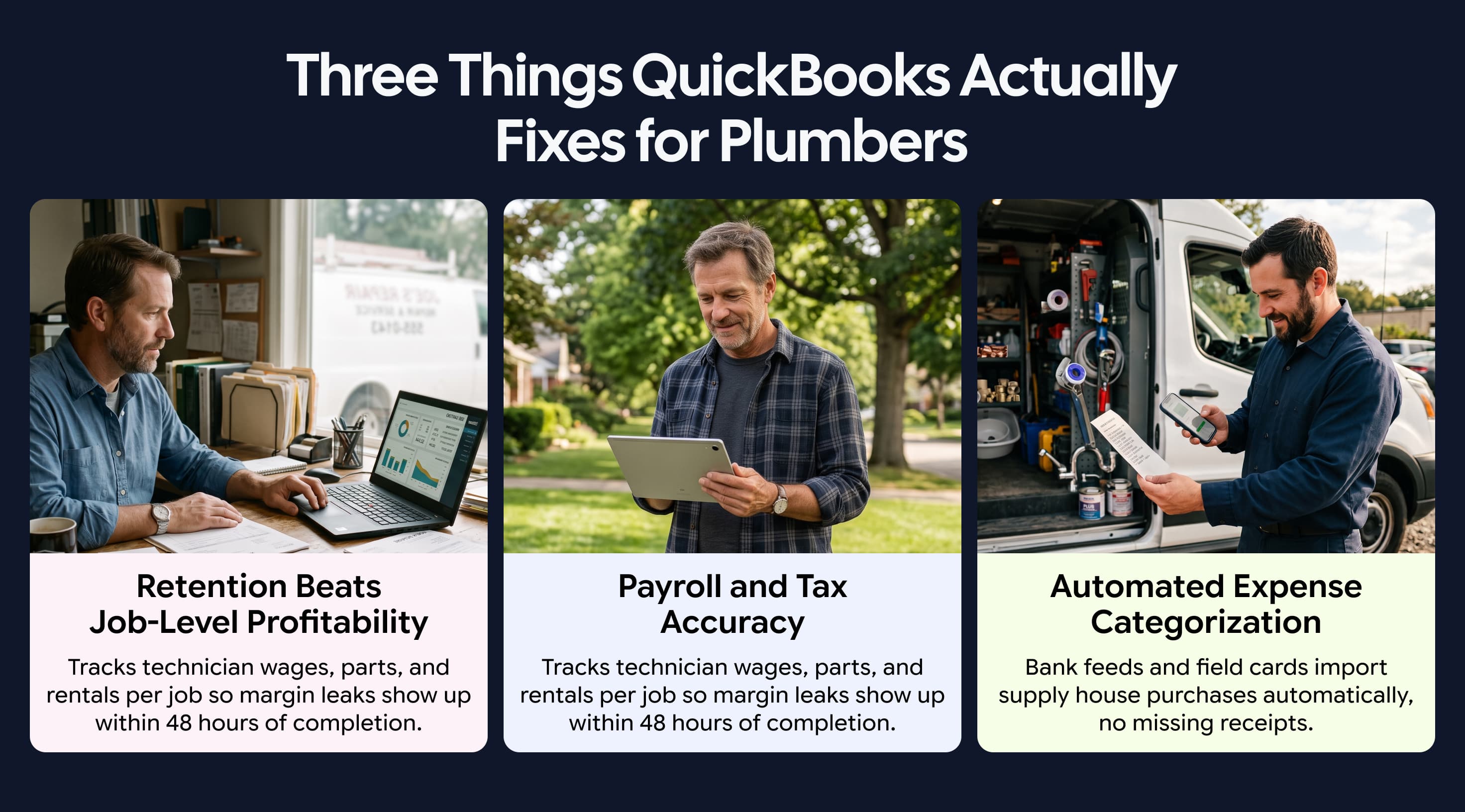
Job-Level Profitability Tracking Across Every Service Call
Flat-rate estimates bleed margin through extra supply runs or unbilled specialty parts. QuickBooks job costing attributes direct expenses like technician wages, piping, fixtures, and trenching rentals directly to individual customer files.
Owner-operators can review gross profit margins within 48 hours of completion, verifying whether a tankless water heater installation met its target 45% margin.
Tax Preparation and Payroll Across Multiple Technicians
Plumbing payroll covers everything from apprentices to master techs, whether they are on hourly, piece-rate, or on-call pay. Your true labor burden also goes well beyond base wages to include payroll taxes, workers' comp, and benefits.
QuickBooks bakes in these loaded rates and posts field labor directly to Cost of Goods Sold (COGS) instead of overhead, while handling subcontractor 1099s and equipment write-offs without the headache.
Automated Expense Categorization Tied to Real Transactions
Plumbers make constant supply house runs where receipts vanish in truck cabs. Connected bank feeds and field cards import purchases automatically. Automated rules categorize transactions from suppliers like Ferguson directly to job materials, preserving job costing accuracy.
Key QuickBooks Features Plumbing Businesses Use Most
Plumbing businesses rely on QuickBooks to manage field-level variable costs, not just office overhead. Configuring these primary accounting features ensures every wrench turned, wholesale part purchased, and technician paycheck tracks directly to your true job margins.
QuickBooks Feature | Plumbing Application | Business Impact |
Job Costing | Tracks billable technician hours, supply receipts, equipment rentals, and subcontractors to specific jobs. | Prevents margin bleed on flat-rate bids and catches unbilled parts early. |
Invoicing & Reconciliation | Routes wholesale parts to COGS while automated bank feeds match payments and fees to open invoices. | Cuts billing errors, speeds up collections, and prevents duplicate vendor bills. |
Field Tech Payroll | Calculates loaded labor rates (taxes, comp, and benefits) across apprentice, journeyman, and master wages. | Ensures audit-ready payroll and reflects true labor burden in job margins. |
How to Set Up QuickBooks for a Plumbing Business
Proper configuration from day one prevents costly accounting cleanups later. Implement these four core setup steps:
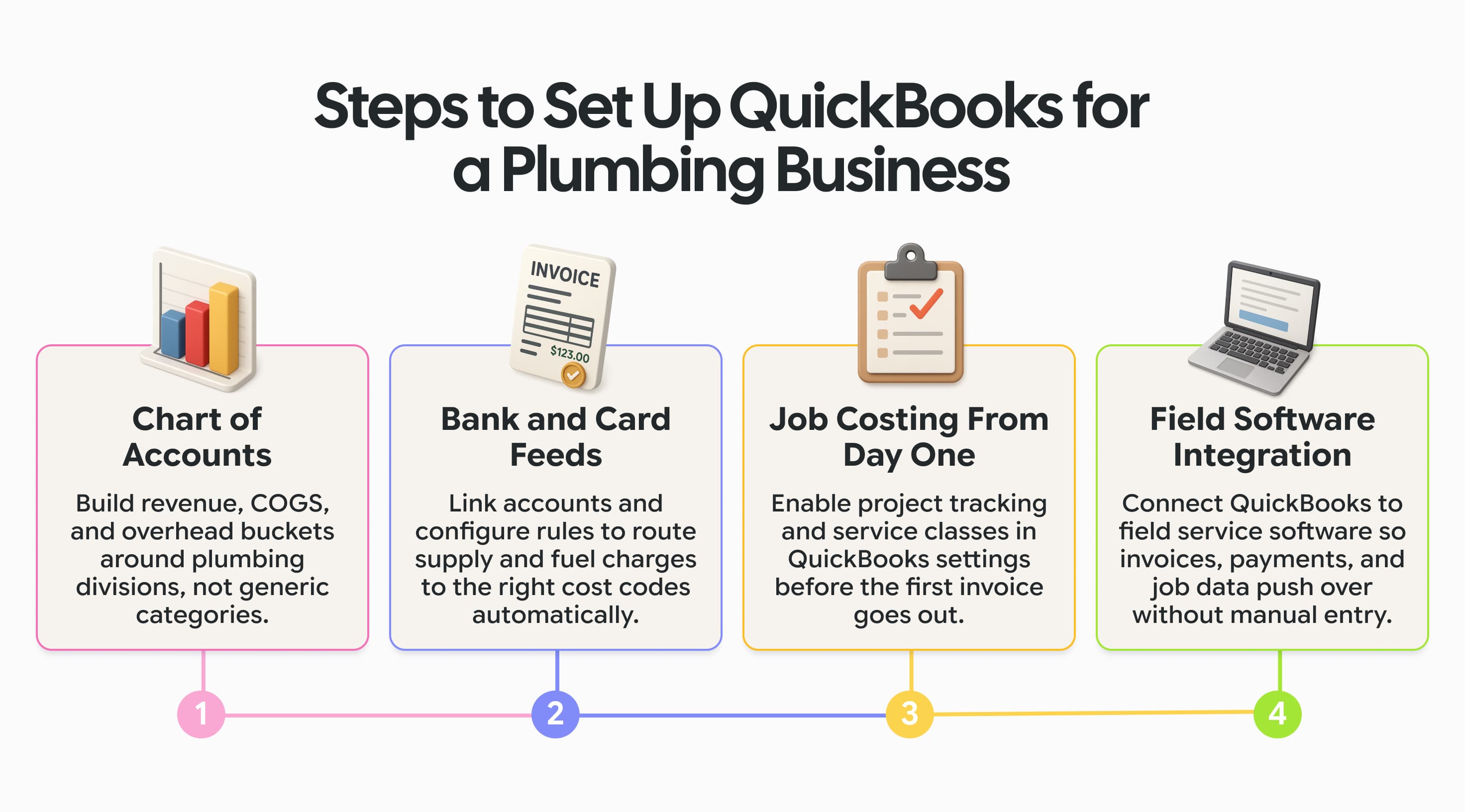
1. Build a Chart of Accounts That Reflects Plumbing Expense Categories
Resist the urge to over-engineer your ledger with hundreds of sub-accounts that no one maintains. Instead, build targeted granularity into three core operational buckets:
2. Connect Bank Accounts and Cards for Automatic Transaction Import
Link checking accounts, reserves, and technician cards to automated bank feeds. Configure rules to route supply house charges directly to 5040 Job Materials and fuel purchases to 6000 Fleet Fuel. Dedicated technician cards track purchases by driver, simplifying project allocation.
3. Configure Job Costing From Day One
In QuickBooks Online (Plus or Advanced), enable project tracking under Settings > Account and Settings > Advanced:
Enable Track classes with One to each row in transaction to split bills across multiple projects.
Turn on Organize all transactions into projects.
Establish service Classes: Service & Repair, Drain Cleaning, Remodel, and New Construction.
Set up Products & Services items aligned with Uniform Plumbing Code standards and fully burdened hourly cost rates mapped to direct labor COGS accounts.
4. Integrate QuickBooks With Your Field Service Software
QuickBooks does not handle technician dispatching, mobile scheduling, GPS tracking, or mobile estimates. Integrating QuickBooks with field service software creates an automated pipeline, pushing finalized invoices, customer records, and field payments directly to accounting.
Where Plumbing Businesses Go Wrong With QuickBooks
Even profitable plumbing shops run into cash crunches when their books do not reflect day-to-day field realities. QuickBooks provides plenty of precision, but it depends entirely on the financial habits of your team.
When supply house runs, owner draws, and jobs are handled haphazardly, small accounting shortcuts quickly compound into major financial blind spots.
Common Mistake | Root Problem in the Field | Financial Impact and Fix |
Mixing Personal and Business Expenses | Using company credit cards for personal meals, family vehicles, or household repairs. | Skews overhead and invites IRS penalties. Pay owners strictly through documented Owner Draws or W-2 payroll. |
Skipping Job Costing Until Tax Season | Dumping all bills into broad expense buckets and attempting to job-cost at year-end. | Hides money-losing service lines. Require weekly tagging of labor hours, supply tickets, and rental bills to Project IDs. |
Re-Entering Job Data by Hand | Office staff manually typing paper work orders, invoices, and payments into QuickBooks. | Wastes hours, creates duplicate customers, and causes billing delays. Implement an automated one-way sync from your field software |
QuickBooks Best Practices for Plumbing Businesses
Disciplined accounting routines ensure your leadership team operates from dependable financial data.
Reconcile Accounts Monthly, Not Just at Tax Season: Perform monthly reconciliations across checking accounts, credit cards, merchant processors, and supply house trade accounts. Reconcile sales tax liabilities and zero out clearing accounts. Once balanced, set a Closing Date Password in QuickBooks settings to prevent unauthorized retroactive edits.
Run Profit-Per-Job Reports Monthly to Find Your Highest-Margin Services: Review your Profit and Loss by Class and Project Profitability Summary reports every month. Rather than looking solely at top-line revenue, evaluate your gross profit margin across each service division by comparing gross sales against direct job labor and materials. Use these metrics to direct advertising toward your most profitable divisions.
Keep Job Costing Active on Every Job, Not Just Large Projects: Treating minor service calls as overhead creates massive profit leaks. Vans carry thousands of dollars in brass fittings and valves. When parts are pulled without being logged to specific jobs, shrinkage quietly drains profits. Enforcing job costing on every work order keeps material costs accountable.
The QuickBooks Sync That Also Captures Financing, Not Just Invoices
Offering flexible payment plans helps close major plumbing bids on the spot. However, untracked financing creates back-office confusion.
Consumer Financing Transactions Synced Alongside Invoices and Payments
When field software includes embedded lending, financing is processed directly on the digital job order. The integration pushes loan origination details, invoice settlements, and merchant fee splits into QuickBooks simultaneously. This eliminates manual tracking of lender notification emails.
Why This Matters When Jobs Are Closed on Payment Plans in the Field
High-ticket plumbing repairs are frequently closed in the customer's driveway. When financing synchronizes in real time:
Dispatchers confirm funded projects instantly, ordering parts and dispatching rough-in technicians without settlement delays.
Technician commissions and performance incentives are calculated accurately and paid on time.
Inventory is immediately committed and tracked to the job, maintaining costing integrity.
How Workiz Connects to QuickBooks for Plumbing Businesses
Workiz handles field operations, while QuickBooks serves as the permanent accounting ledger. Integrating both platforms creates an efficient financial workflow.